Check::RosKomNadzor - Checking a website in the Roskomnadzor database
Overview of the parser
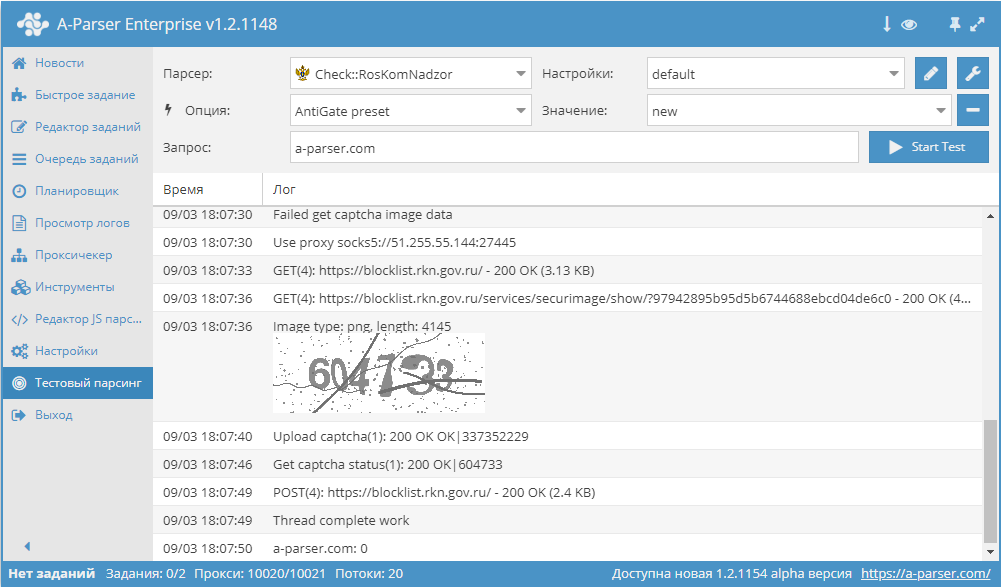
 Check::RosKomNadzor – checks if a domain is present in the Roskomnadzor database. Automated collection of all data: the date of the grounds for inclusion in the register, the grounds number, and the body that made the decision.
A-Parser functionality allows you to save GooglePlay::Apps parsing settings for future use (presets), set up parsing schedules, and much more.
Results can be saved in any format and structure you need, thanks to the powerful built-in Template Toolkit engine, which allows applying additional logic to results and exporting data in various formats, including JSON, SQL, and CSV.
Collected data
The parser checks for the presence of a domain or link in the website's database.
To use the parser, you need to configure and connect  Util::AntiGate.
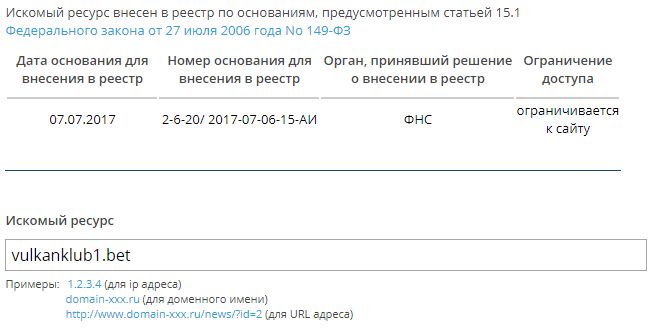
- Checks for the presence of a domain\link in the registry (0 - not in registry, 1 - in registry)
- Decision date for inclusion in the registry
- Decision number for inclusion in the registry
- Authority that made the decision for inclusion in the registry
- Access restriction
Use cases
- Allows checking if websites are in the Roskomnadzor prohibited list
Queries
Specify the domains of the websites you want to check as queries, for example:
a-parser.com
vulkanklub1.bet
Output results examples
A-Parser supports flexible result formatting thanks to the built-in Template Toolkit, allowing it to output results in any form, as well as structured formats like CSV or JSON
Default output
Result format:
$query: $exists\n
Example result:
a-parser.com: 0
vulkanklub1.bet: 1
Possible settings
| Parameter | Default value | Description |
|---|---|---|
| AntiGate preset | default | Util::AntiGate parser preset. You must first configure the Util::AntiGate parser - specify your access key and other parameters, then select the created preset here. |