Net::Whois - WHOIS parser checks domain data and determines if a domain is registered
Parser overview
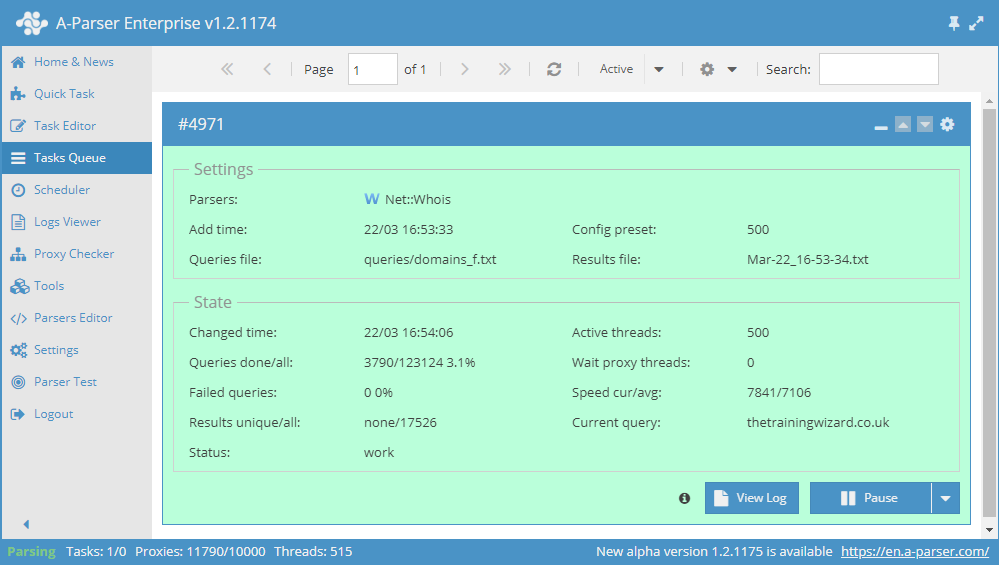
Data is collected via the WHOIS protocol from central servers for each domain zone. You can read more about WHOIS on Wikipedia: http://en.wikipedia.org/wiki/WHOIS
The A-Parser functionality allows you to save parsing settings for future use (presets), set parsing schedules, and much more. You can use automatic query multiplication, substitution of subqueries from files, brute-forcing of alphanumeric combinations, and lists to obtain the maximum possible number of results.
Saving results is possible in any format and structure you need, thanks to the built-in powerful Template Toolkit template engine, which allows you to apply additional logic to the results and output data in various formats, including JSON, SQL, and CSV.
Parser use cases
🔗 Selecting arbitrary data
Net::Whois selecting arbitrary data
🔗 Domain parameters
Getting parameters by domains
🔗 Domain expiration notification
Getting notifications in Telegram about domain registration expiration
🔗 Collecting e-mail address database
The preset allows collecting domain e-mail addresses via the Whois service.
Collected data
- Whether the domain is registered or not
- Domain registration expiration date
- When the domain was registered
- WHOIS service used
- List of domain name servers
- Current domain status
- Domain release date
Capabilities
- Support for internationalized domain names (IDN, e.g., яндекс.рф)
Use cases
- Collecting available domains or those that will soon expire
- Collecting a list of NS servers
- Obtaining domain statuses
Queries
You should specify the domain of the target site as queries, for example:
a-parser.com
yandex.ru
google.com
vk.com
facebook.com
Result output options
A-Parser supports flexible result formatting thanks to the built-in Template Toolkit template engine, which allows it to output results in any form, as well as in structured formats such as CSV or JSON
Default output
Result format:
$query - registered: $registered, expire: $expire_date, creation: $creation_date
The result displays the domain, whether it is registered, the expiration date, and the domain registration date:
facebook.com - registered: 1, expire: 30.03.2028, creation: 29.03.1997
a-parser.com - registered: 1, expire: 25.02.2022, creation: 25.02.2012
vk.com - registered: 1, expire: 23.06.2021, creation: 24.06.1997
yandex.ru - registered: 1, expire: 01.10.2021, creation: 23.09.1997
google.com - registered: 1, expire: 14.09.2028, creation: 15.09.1997
Outputting NS list
Result format:
$ns.format('$server\n')
Result example:
demi.ns.cloudflare.com
vern.ns.cloudflare.com
Outputting domain dates to CSV
Result format:
[% tools.CSVline(query, registered, expire_date, creation_date, free_date, whoisserver, registrar) %]
Result example:
a-parser.com,1,25.02.2022,25.02.2012,none,whois.crsnic.net,"PDR Ltd. d/b/a PublicDomainRegistry.com"
Outputting NS list to a CSV table
Result format:
[% FOREACH ns;
  tools.CSVline(query, server);
END %]
Result example:
a-parser.com,demi.ns.cloudflare.com
a-parser.com,vern.ns.cloudflare.com
Dumping results to JSON
General output format:
[% IF notFirst;
  ",\n";
ELSE;
  notFirst = 1;
END;

obj = {};
obj.query = query;
obj.registered = p1.registered;
obj.expire_date = p1.expire_date;
obj.creation_date = p1.creation_date;
obj.free_date = p1.free_date;
obj.whoisserver = p1.whoisserver;
obj.registrar = p1.registrar;
obj.domains = [];

FOREACH item IN p1.ns;
    obj.domains.push({
        server = item.server
    });
END;

obj.json %]
Initial text:
[
Final text:
]
Result example:
[{
    "registered": 1,
    "query": "a-parser.com",
    "free_date": "none",
    "expire_date": "25.02.2022",
    "registrar": "PDR Ltd. d/b/a PublicDomainRegistry.com",
    "domains": [
        {
            "server": "demi.ns.cloudflare.com"
        },
        {
            "server": "vern.ns.cloudflare.com"
        }
    ],
    "creation_date": "25.02.2012",
    "whoisserver": "whois.crsnic.net"
}]
To make the "Initial text" and "End text" options available in the Task Editor, you need to activate "More options".
Results processing
A-Parser allows processing results directly during parsing; in this section, we have provided the most popular cases for the Net::Whois parser
Obtaining the domain registrar
Add a Results Builder and select the source from the dropdown list: $p1.data. Select type: RegEx Match. In the Regex field, enter the regular expression: Registrar:\s*(.+) and save it to the variable registrar. Add to the Result format: $query - $registrar\n
Download example
How to import an example into A-Parser
eJxtVMlu2zAQ/ZVgkEPSOkJy6EU3x4CBFq6VOg56sH0grJHLhiIZLm4CQf/eIbVQ
SXuyZ3vzhvNGDThmn+2DQYvOQr5rQMf/kIPBE7fOMAMz0MxYNCFhB2t0ef7zl+KW
AiVWzAsHswbcm0YqU2c0hpdIQV6SXSlTM0egMQ3OTPiQdvni0bxd3Fxcjn32ewnt
4TCDLtkuY2XI1XdZT2sMPrIzblXA5wKTe0nWmtWxQ8kchmjWUbi6ztxrQGBlyR1X
komuQxgrdX2S/CUylIpyA0uOdmlUTS6HESBSH9jt+lGAIHys/dHVQF4xYXEGlqgu
GREpP0a4Q8OcMoUOfMjfgJJzIVZ4RpHSIv6956KkHcwrKvraF/4/pfgHox3Hm7ai
Tf0xxGFEidZ98T1VlWqlTsNjCF5zR7ZdKC/DYm7J+Yyoxzdbh7RaGRzb9Mh9dxKa
RhlkkVY218n1box3a5k4G7DKmyP1290SQ+ZYePtefqQmfI3g4TeHzaCufL+3n66y
z9dDcBsLpBeCilVYZFL8oSXEo5IVPxW9ngc6Xm7pZAq5ULUW6EYIb3GTNDi3/a6D
kV7hY/EitiCa4x0RFSXst8fuPbThxOxLYFzTuqZde8gjE+Jps5pGIOmWDHbTHW92
JAmHfIcnRXKlacKQ/WWPX4Bmet9505IGftuHLinMEp10xmTSgiG/a/8CXrN/Jg==
Possible settings
| Parameter | Default value | Description |
|---|---|---|
| Recursive query | ☐ | Allows obtaining an extended version of WHOIS |
| WHOIS server | Allows specifying your own WHOIS server | |
| Checking by DNS | ☑ | Allows checking if a domain is registered based on the existence of an IP for the domain |
| Checking domains by DNS record | ☑ | IP check: if it finds status ALLOCATED, it defines the domain as registered; if the option is disabled, no IP check occurs at all |
| Force DNS check for not found domains | ☑ | Forced check if the domain was determined as not registered |