HTML::TextExtractor::LangDetect - Page language detection
Parser overview
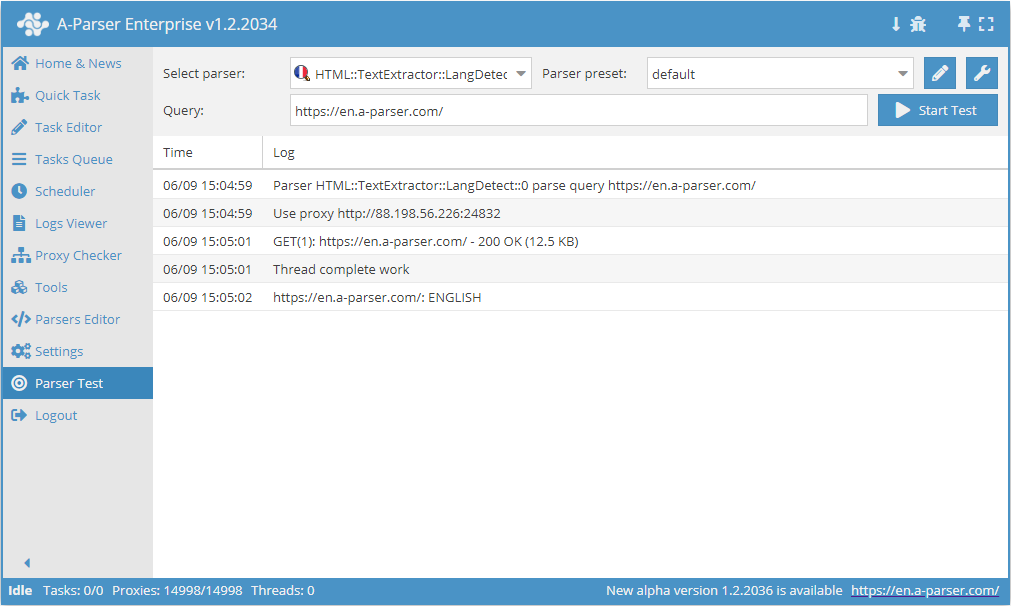
 HTML::TextExtractor::LangDetect determines the website language, as well as the detection accuracy in percent. Supports multi-page parsing and crawling through internal website pages to a specified depth, which allows going through all website pages, collecting internal and external links. Has built-in bypass tools for CloudFlare and also the ability to choose Chrome as an engine for parsing emails from pages where data is loaded by scripts. Capable of reaching speeds up to 2000 requests per minute – which is 120 000 links per hour.
Collected data
- Identifies the website language
- Detection accuracy in %
Capabilities
- Multi-page parsing (crawling through pages)
- Supports gzip/deflate/brotli compression
- Detection and conversion of website encodings to UTF-8
- CloudFlare protection bypass
- Engine selection (HTTP or Chrome)
- Website language detection without using third-party services
- Detection accuracy in %
Use cases
- Selecting domains with specific content language
Queries
You should specify a list of websites as queries, for example:
http://a-parser.com/
http://yandex.ru/
http://google.com/
http://vk.com/
http://facebook.com/
http://youtube.com/
Output results examples
A-Parser supports flexible results formatting thanks to the built-in Template Toolkit, which allows it to output results in any form, as well as structured ones, such as CSV or JSON
Default output
Result format:
$query: $lang\n
Result example:
http://vk.com/: RUSSIAN
http://a-parser.com/: RUSSIAN
http://yandex.ru/: RUSSIAN
http://youtube.com/: ENGLISH
http://google.com/: ENGLISH
http://facebook.com/: ENGLISH
Possible settings
| Parameter name | Default value | Description |
|---|---|---|
| Good status | All | Selection of which server response will be considered successful. If there is a different response from the server during parsing, the request will be retried with another proxy. |
| Good code RegEx | Ability to specify a regular expression to check the response code. | |
| Method | GET | Request method. |
| POST body | Content to be sent to the server when using the POST method. Supports variables $query – request URL, $query.orig – original query, and $pagenum - page number when using the Use Pages option. | |
| Cookies | Ability to specify cookies for the request. | |
| User agent | Mozilla/4.0 (compatible; MSIE 6.0; Windows NT 5.1; SV1) | User-Agent header when requesting pages. |
| Additional headers | Ability to specify custom request headers with template engine support and using variables from the Query Builder. | |
| Read only headers | ☐ | Read headers only. In some cases, it allows saving traffic if there is no need to process content. |
| Detect charset on content | ☐ | Recognize encoding based on page content. |
| Emulate browser headers | ☐ | Emulate browser headers. |
| Max redirects count | 7 | Maximum number of redirects the parser will follow. |
| Max cookies count | 16 | Maximum number of cookies to save. |
| Bypass CloudFlare | ☑ | Automatic CloudFlare check bypass. |
| Follow common redirects | ☑ | Allows redirects http <-> https and www.domain <-> domain within one domain bypassing the Max redirects count limit. |
| Engine | HTTP (Fast, JavaScript Disabled) | Allows choosing between HTTP engine (faster, no JavaScript) or Chrome (slower, JavaScript enabled). |
| Chrome Headless | ☐ | If the option is enabled, the browser will not be displayed. |
| Chrome DevTools | ☑ | Allows using Chromium debugging tools. |
| Chrome Log Proxy connections | ☑ | If the option is enabled, chrome connection information will be output to the log. |
| Chrome Wait Until | networkidle2 | Determines when the page is considered loaded. More about values. |
| Use HTTP/2 transport | ☐ | Determines whether to use HTTP/2 instead of HTTP/1.1. For example, Google and Majestic ban immediately if HTTP/1.1 is used. |
| Bypass CloudFlare with Chrome(Experimental) | ☐ | CF bypass via Chrome. |
| Bypass CloudFlare with Chrome Max Pages | Max number of pages when bypassing CF via Chrome. |