FreeAI::GoogleAI - Google AI mode parser
Parser Overview
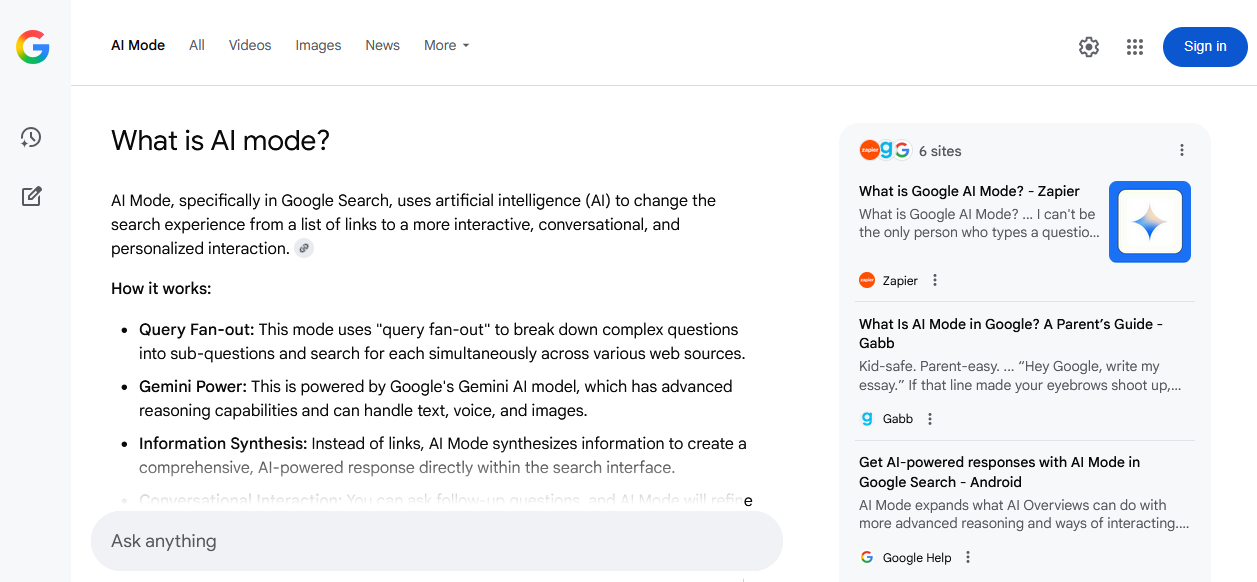
The Google AI mode parser is a powerful tool for collecting structured information from one of the leading AI systems, as AI mode is powered by Gemini from Google. Thanks to integration with Google AI mode, you receive not just lists of links, but up-to-date, concise, and relevant answers based on a vast number of sources, including scientific articles, blogs, forums, and news portals.
The Google AI mode parser supports natural language queries, including clarifications, contextual questions, and nested constructions. Processing speed reaches 800–1500 queries per minute thanks to multi-threaded operation. Depending on the configuration and presets used, you can obtain tens of thousands of unique text fragments and hundreds of links within a few minutes.
Output results can be saved in any required format thanks to the powerful Template Toolkit templating engine, which allows structuring data into JSON, CSV, SQL, and other formats, as well as applying filtering, sorting, and data aggregation on the fly.
The FreeAI::GoogleAI parser is ideal for competitive intelligence tasks, fact and quote gathering, knowledge base creation, news monitoring, and topic analysis, due to the high quality and contextuality of the results provided.
Currently, Google provides access to AI mode only within the US, so US proxies must be used for the parser to function. Also, for the same reason, results are only in English.
Collected Data
- Answer text (in HTML formatting)
- Links, anchors, and snippets of data sources
Capabilities
- Similar to the SE::Google parser, bypassing JS checks and working with reCAPTCHA is supported
- Session support for more stable and faster operation
Use Cases
- Collecting structured answers for thematic queries to create knowledge bases, content plans, reference systems, and FAQ generation
- Extracting source links with anchors and snippets - ideal for building lists of authoritative resources, citations, and backlink gathering
- Monitoring mentions of brands, products, or persons - tied to context and sources
- Searching for and analyzing expert opinions, trends, and insights from authoritative sources
- Quick verification of the relevance and completeness of information on key topics
- Automating competitor analysis: which resources are cited, what topics are covered, and how often
- Supporting research and analytical projects requiring the aggregation of accurate information from various sources
- Any other tasks where quick, concise, and accurate answers with confirmation from real sources and logical context are required
Queries
As queries, you should specify search queries exactly as if they were entered directly into the Google AI mode search form, for example:
How to learn fast?
How to improve memory and concentration?
What is a parser?
Results
Here and below, result examples are shortened for better clarity
By default, the answer to the query is output, for example:
A parser is a program that <b>analyzes input data, typically text or code, and converts it into a structured format that a computer can understand and process</b>.<br />
<b>Here's a breakdown of what a parser does:</b>
<ul>
<li><b>Takes Input:</b> Parsers receive input, which can be source code, data in a specific format (like XML or JSON), interactive commands, etc.</li>
<li><b>Breaks Down Input:</b> The parser breaks the input into its constituent parts, such as keywords, operators, identifiers, and symbols, which are called tokens.</li>
...
To improve memory and concentration, you can implement a combination of lifestyle changes and cognitive exercises.<br />
<b>Lifestyle Changes:</b>
<ul>
<li><b>Prioritize Sleep:</b> Adequate and quality sleep is crucial for memory consolidation and cognitive function. Aim for 7-9 hours of sleep each night and maintain a consistent sleep schedule.</li>
...
To learn fast and retain information effectively, focus on strategies that promote active engagement, optimize brain function, and utilize science-backed learning techniques.<br />
<b>1. Enhance Cognitive Function and Focus:</b>
<ul>
<li><b>Prioritize Sleep:</b> Quality sleep is crucial for memory consolidation and improved concentration. Aim for 7-9 hours of sleep per night for optimal results.</li>
...
Output Result Examples
A-Parser supports flexible result formatting thanks to the built-in Template Toolkit templating engine, which allows it to output results in arbitrary forms, as well as structured ones like CSV or JSON.
Exporting a List of Links
Result format:
$links.format('$link\n')
Result example:
https://www.techtarget.com/searchapparchitecture/definition/parser
https://www.linkedin.com/advice/3/what-role-parser-programming-language-theory-bxxbe#:~:text=A%20parser%20in%20a%20compiler,the%20compilation%20process%20will%20stop.
https://www.huntress.com/cybersecurity-101/topics/what-is-a-parser
https://botpenguin.com/glossary/syntax-analysis
https://www.dremio.com/wiki/parsing/#:~:text=Parsing%2C%20also%20known%20as%20syntax,%2C%20processed%2C%20or%20analyzed%20effectively.
...
CSV Output of Links, Anchors, and Snippets with Their Positions
Result format:
[% FOREACH item IN links; tools.CSVline(loop.count, item.link, item.anchor, item.snippet); END %]
Result example:
...
8,https://www.howtolearn.com/2021/01/9-science-backed-ways-to-learn-anything-faster/,"9 Science Backed Ways to Learn Anything Faster - HowToLearn.com","Jan 4, 2021 — Table of Contents * Break Your Learning into Manageable Portions. * Review What You're Learning Frequently. * Use Mindmaps to Summarize Information. * Take Note..."
9,https://www.linkedin.com/pulse/how-slow-learners-easily-speed-up-learning-sathya-molagoda,"How Slow Learners Easily Speed Up Learning - LinkedIn","Dec 24, 2022 — How Slow Learners Easily Speed Up Learning * Introduction. If you are a slow learner, don't worry. You can easily speed up your learning by using some tips and ..."
10,https://www.linkedin.com/pulse/5-science-backed-learning-techniques-save-time-supercharge-k-c-barr-ljqee,"5 Science-Backed Learning Techniques That Save Time and ...","Jan 16, 2025 — Offsetting forgetting is like patching those holes to retain as much water as possible. * 5 Actionable Steps: Review new material within 24 hours of learning it..."
1,https://www.huntress.com/cybersecurity-101/topics/what-is-a-parser,"What Is a Parser? A Beginner-Friendly Guide to ... - Huntress","May 27, 2025 — What's a Parser (And Why Should You Care)? ... Ever wondered what happens behind the scenes when computers process text, code, or data? That's where parsers com..."
2,https://www.huntress.com/cybersecurity-101/topics/what-is-a-parser,"What Is a Parser? A Beginner-Friendly Guide to ... - Huntress","May 27, 2025 — What's a Parser (And Why Should You Care)? ... Ever wondered what happens behind the scenes when computers process text, code, or data? That's where parsers com..."
3,"https://www.techtarget.com/searchapparchitecture/definition/parser#:~:text=In%20computer%20technology%2C%20a%20parser,necessary%20input%20has%20been%20provided.","What is a Parser? Definition, Types and Examples - TechTarget","Jul 7, 2022 — What is a parser? In computer technology, a parser is a program that's usually part of a compiler. It receives input in the form of sequential source program in..."
In the General Result Format, the Template Toolkit templating engine is used to output the $links array in a FOREACH loop.
In the result filename, you simply need to change the file extension to csv.
Possible Settings
| Parameter Name | Default Value | Description |
|---|---|---|
| Results language | Auto (Based on IP) | Selection of result language (lr= parameter) |
| Search from country | Auto (Based on IP) | Selection of country from which the search is performed (geo-dependent search, gl= parameter) |
| Location (city) | Search by city, region. Cities can be specified as novosibirsk, russia; a full list of locations can be found in Geotargets (copy - use the value from the Canonical Name column). It is also necessary to set the correct Google domain | |
| Util::ReCaptcha2 preset | default | Determines whether to use  Util::ReCaptcha2 to bypass reCAPTCHAs Util::ReCaptcha2 to bypass reCAPTCHAs |
| Util::AntiGate preset | default | Determines whether to use  Util::AntiGate to bypass graphic captchas Util::AntiGate to bypass graphic captchas |
| ReCaptcha2 retries | 3 | Number of attempts to submit a reCAPTCHA response the specified number of times without changing the proxy |
| ReCaptcha2 pass proxy | ☐ | Allows passing proxies (used in the request to Google) and cookies (received in the response from Google) to the ReCaptcha recognition service |
| Use sessions | ☑ | Saves good sessions, allowing for even faster parsing with fewer errors. |
| Don't take session | ☐ | Option to not use saved good sessions |
| Additional headers | Allows specifying any custom headers | |
| Redirect browser max pages | 10 | Number of browser pages used to bypass protection in the form of a check for enabled JavaScript |