Rank::Bukvarix::Keyword - Keyword collection by keyword from Bukvarix
Overview
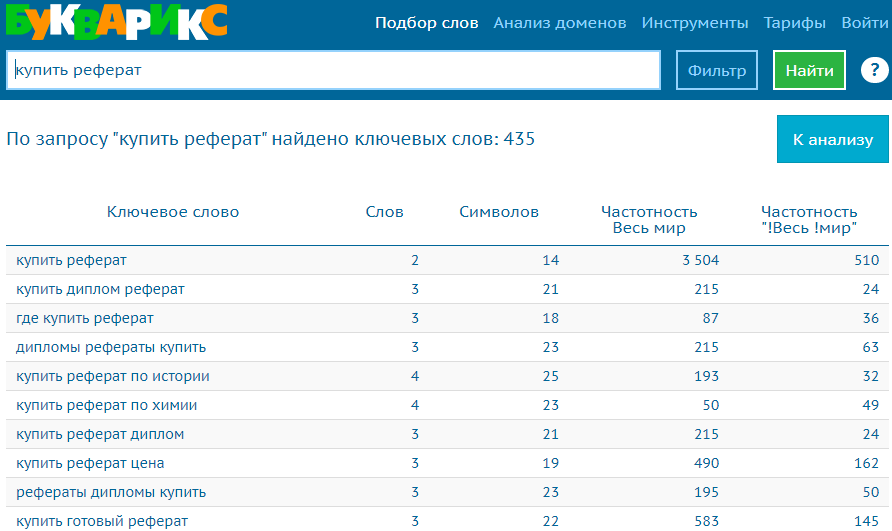
Keyword parser by keyword from Bukvarix. Thanks to the Rank::Bukvarix::Keyword parser, you will be able to automatically collect keyword databases from bukvarix.com by query. Using the Rank::Bukvarix::Keyword parser, you can easily and quickly parse keys from Bukvarix thanks to multi-threaded operation.
Bukvarix keyword selection solves one of the main SEO tasks, namely the fast automated acquisition of an expanded semantic core. Obtaining keywords, the number of results in Yandex, frequency, positions, and in combination with the Bukvarix keyword parser by domain -  Rank::Bukvarix::Domain you will get the most comprehensive semantics, which will help attract more organic traffic.
Thanks to the multi-threaded operation of A-Parser, the query processing speed can reach 4,300 queries per minute, which on average allows receiving up to 210,000 non-unique results per minute.
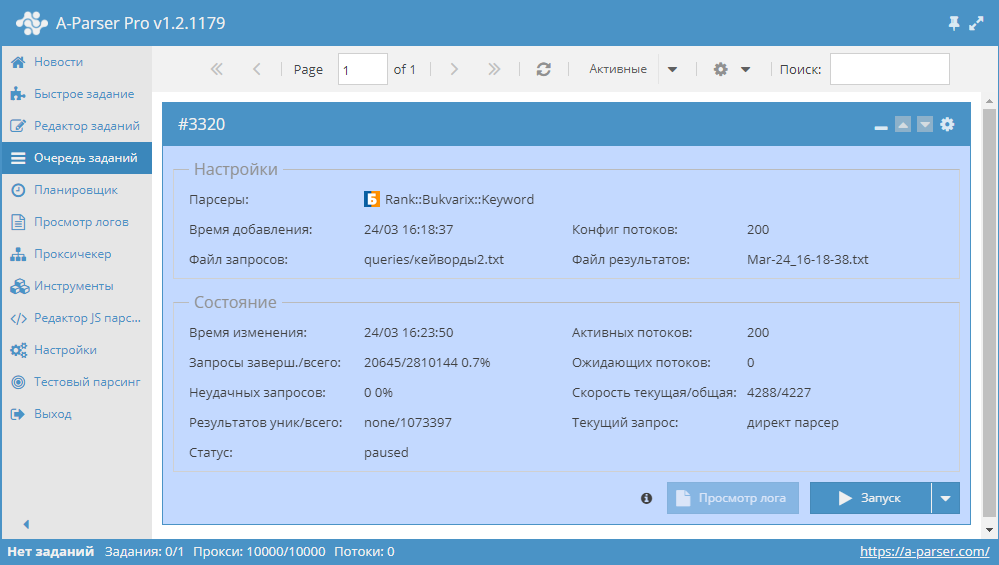
You can use results filtering to clean the result by removing all unnecessary garbage (using negative keywords).
A-Parser functionality allows saving Rank::Bukvarix::Keyword parsing settings for future use (presets), setting a parsing schedule, and much more.
Saving results is possible in the form and structure you need, thanks to the built-in powerful Template Toolkit which allows applying additional logic to the results and outputting data in various formats, including JSON, SQL, and CSV.
Collected data
Data is collected from the service bukvarix.com
- Keyword
- Number of words in the key
- Number of characters
- Frequency (Worldwide)
- Frequency ("!Worldwide")
- Number of results in Bukvarix
Capabilities
- Ability to parse up to 1000 results per query or more with a paid API key
- Ability to use a paid API key
Use cases
- Keyword collection
- Determining the key with the highest frequency
API key
Free API key
A-Parser uses the free API key in standard settings.
Paid API key
Possible API key limitations reported by Bukvarix support when issuing a key:
- number of queries per day
- number of rows in the report for each query
It is essential to take these limitations into account in A-Parser when using a paid API key.
Additionally, the following rules/limitations exist when using the API (they apply to all keys):
- Sequential (single-threaded) execution of queries.
- Do not use proxies.
The API key is purchased separately from the Bukvarix subscription.
To use a paid key in A-Parser, you need to use the API-key and Max rows count options described below in Possible settings.
Queries
You should specify a list of keys as queries, for example:
essay buy
write essay
forex
twitter parser
parsers forum
google text parser
forum parsers
inurl php id
a parser
a parser download
mass position checker a parser
Query substitutions
You can use built-in macros to multiply queries; for example, if we want to get a very large keyword database, we specify several main queries in different languages:
essay buy
write essay
forex
twitter parser
parsers forum
In the query format, we will specify character iteration from a to zzzz; this method allows for maximum rotation of search results and obtaining many new unique results:
$query {az:a:zzzz}
This macro will create 475254 additional queries for each original search query, which will total 4 x 475254 = 1901016 search queries—an impressive figure, but no problem at all for A-Parser. At a speed of 2000 queries per minute, such a task will be processed in just 16 hours.
Output results examples
A-Parser supports flexible result formatting thanks to the built-in Template Toolkit, which allows it to output results in arbitrary form, as well as in structured formats like CSV or JSON
Exporting a list of keys
Result format:
$keywords.format('$key\n')
Result example:
write essay
write essay opinion
write written essay
to write essay
write your essay
write in essay
essay opinion write
essay write
write a essay
write to essay
...
Outputting key, frequency, word count, and character count
Result format:
$keywords.format('$key, $frequency, $wordscount, $symbolscount\n')
Result example:
write essay, 16552, 2, 11
write essay opinion, 1060, 3, 19
write written essay, 16548, 3, 19
to write essay, 16552, 3, 14
write your essay, 3662, 3, 16
write in essay, 16552, 3, 14
essay opinion write, 1060, 3, 19
essay write, 16552, 2, 11
write a essay, 16552, 3, 13
write to essay, 16552, 3, 14
...
Outputting key, frequency, word count, and character count to a CSV table
The built-in utility $tools.CSVLine allows creating correct tabular documents ready for import into Excel or Google Sheets.
Result format:
[% FOREACH i IN keywords;
    tools.CSVline(i.key,i.frequency,i.wordscount, i.symbolscount);
END %]
File name:
$datefile.format().csv
Initial text:
Key,Frequency,Word count,Character count
The Template Toolkit is used in the Results Format to output elements of the $keywords array in a FOREACH loop.
In the result file name, you just need to change the file extension to csv.
To make the "Initial text" option available in the Task Editor, you need to activate "More options". In "Initial text", write the column names separated by commas and make the second line empty.
Saving in SQL format
Result format:
[% FOREACH keywords;
    "INSERT INTO serp VALUES('" _ query _ "', '" _ frequency _ "', '" _ wordscount _ "', '" _ symbolscount _ "')\n";
END %]
Result example:
INSERT INTO serp VALUES('write essay', '16552', '2', '11')
INSERT INTO serp VALUES('write essay', '1060', '3', '19')
INSERT INTO serp VALUES('write essay', '16548', '3', '19')
INSERT INTO serp VALUES('write essay', '16552', '3', '14')
INSERT INTO serp VALUES('write essay', '3662', '3', '16')
INSERT INTO serp VALUES('write essay', '16552', '3', '14')
INSERT INTO serp VALUES('write essay', '1060', '3', '19')
INSERT INTO serp VALUES('write essay', '16552', '2', '11')
INSERT INTO serp VALUES('write essay', '16552', '3', '13')
INSERT INTO serp VALUES('write essay', '16552', '3', '14')
...
Dumping results to JSON
General output format:
[% IF notFirst;
  ",\n";
ELSE;
  notFirst = 1;
END;

obj = {};
obj.keywords = [];

FOREACH item IN p1.keywords;
    obj.keywords.push(item.key);
END;

obj.json %]
Initial text:
[
Final text:
]
Result example:
[{"keywords":["write essay","write essay opinion","write written essay","to write essay","write your essay","write in essay","essay opinion write","essay write","write a essay","write to essay","write the essay","write my essay","how write essay","opinion essay write","essay to write","write an essay","write opinion essay","essay write help","write am essay","personal essay write","essay write me","write fast essay","write essay words","write essay online","write personal essay","online essay write","write essay fast","essay write online","online write essay","write me essay","essay personal write","write short essay","help write essay","best essay write","write essay school","write topics essay","write school essay","essay school write","write essay teacher","write essay topic","write essay plan","essay topics write","school essay write","write essay help","write essay topics","write work essay","topic write essay","write help essay","write best essay","write essay ielts","write essay questions","write essay good","write essay question","good essay write"]}]
To make the "Initial text" and "End text" options available in the Task Editor, you need to activate "More options".
Results processing
A-Parser allows processing results directly during parsing; in this section, we have provided the most popular cases for the Rank::Bukvarix::Keyword parser
Results deduplication
Same as in Rank::Bukvarix::Domain.
Filtering results (using negative keywords)
Same as in Rank::Bukvarix::Domain.
Possible settings
| Parameter name | Default value | Description |
|---|---|---|
| API-key | free | Input of the API key used |
| Max rows count | 1000 | Number of rows in the result for each query |