HTML::EmailExtractor - Parsing email addresses from website pages
Overview
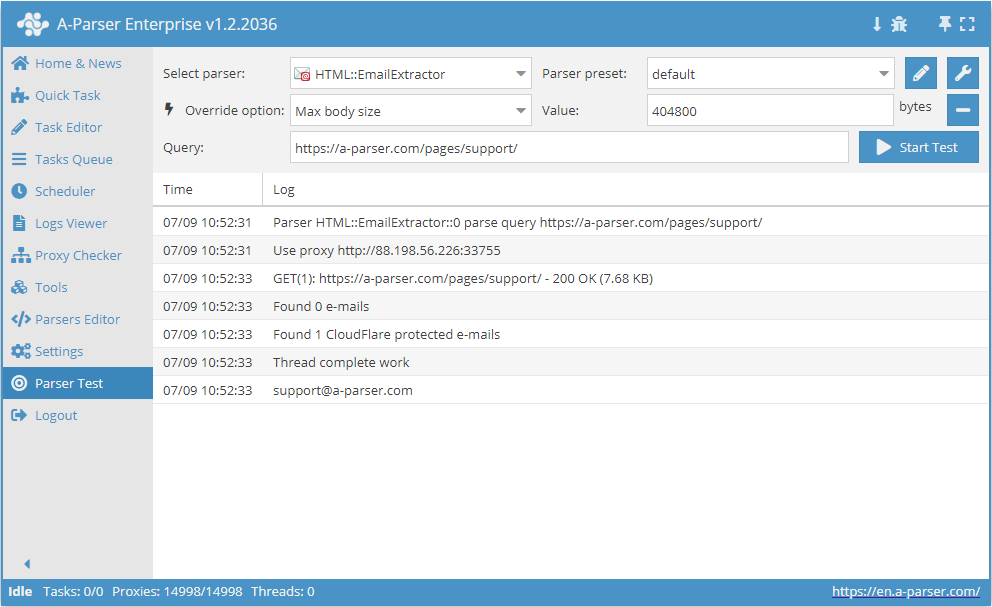
 HTML::EmailExtractor collects email addresses from specified pages. It supports traversing internal site pages up to a specified depth, allowing you to go through all site pages while collecting internal and external links. The email parser has built-in protection bypass tools for CloudFlare and also the option to choose Chrome as the engine for parsing emails from pages where data is loaded by scripts. It is capable of reaching speeds up to 250 requests per minute – which is 15,000 links per hour.
Parser use cases
Parsing emails from a site with deep page traversal up to a specified limit
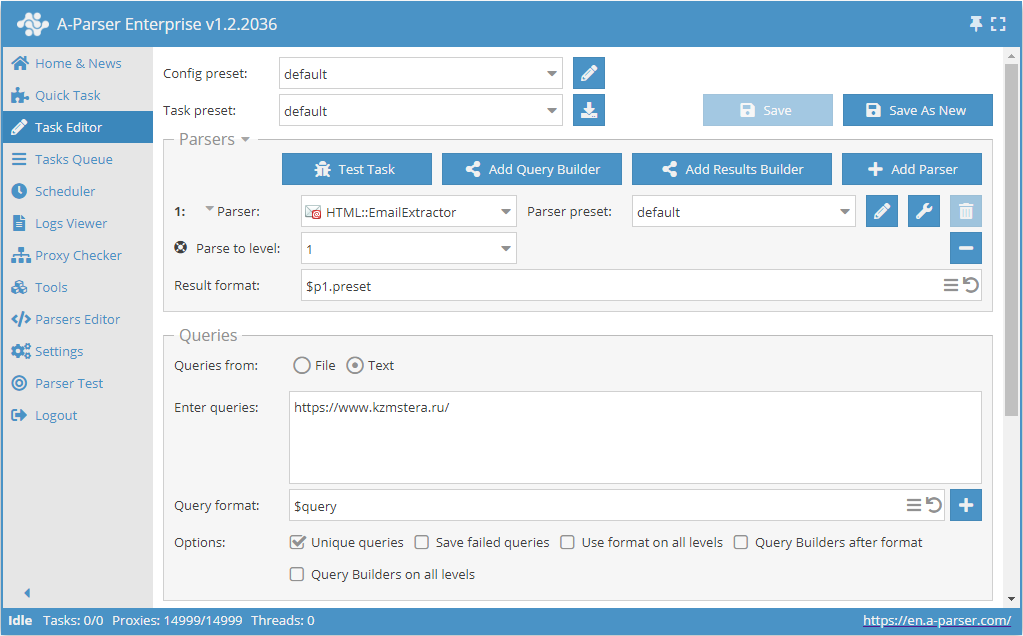
- Add the Parse to level option and select the required value (limit) from the list.
- In the Queries section, check the
Unique queriesoption. - In the Results section, check the
Unique stringoption. - Specify the link to the site from which you want to scrape emails as a query.
Download example
How to import an example into A-Parser
eJxtU01z2jAQ/S8aDu0MY5pDL74RJkzTIXGakBPDQYPXREWWVEmGpB7+e98Kx4Ym
N+3u2/f2S62IMuzCg6dAMYh81QqX3iIXJVWy0VGMhZM+kOfwSvxY3i3y/KaWSt+8
Ri830XpAenAr4psjpFsXlTUBMVXCTBwL2pOGZy91A8zVcb0eC+ghM8ytryXrjtxV
1hXRB5/knpYWwUppGtxzWPeyZrlRKSNxNKsS0ZevWXxlBlmWiiuR+qTAbQyqz0b9
4VJEiF6ZLfAwvaIw97aGO1IiYefbe4UrMUq2AE2T8n+dckQefUNjEVDtHAOisg9U
UgdEVCQvMbGiG07eCmumWqfBDLBEf90oXWLs0wpJt13i55DiA8ex7/Bcak/+4FFD
z5Ks6+JuyCrtwm7RuLFoW6taRdhhZhvDu/kG547I9WO7Z1htPfUyHXOnjstyZPgA
hq1N3eC6aONiM5fOjTWV2hZowKuS3pGNWeJ8CzOztdPEfZlGa2wl0ONwIdPQrYGN
ocD/k2dJ4uLwo7U6/Hw6leq8wgV+5wJrTPJctaPcSK2fHxfnETFcFIyXGF3IJ5PD
4ZDt/taBl5r5ZiI4N9LW4qjQ2XHd/7n+Z7af/7y8PWJpv8PDCc4dMhg+jCpgI/zL
/gFm02Dr
Parsing emails from a database of sites with deep traversal of each site up to a specified limit
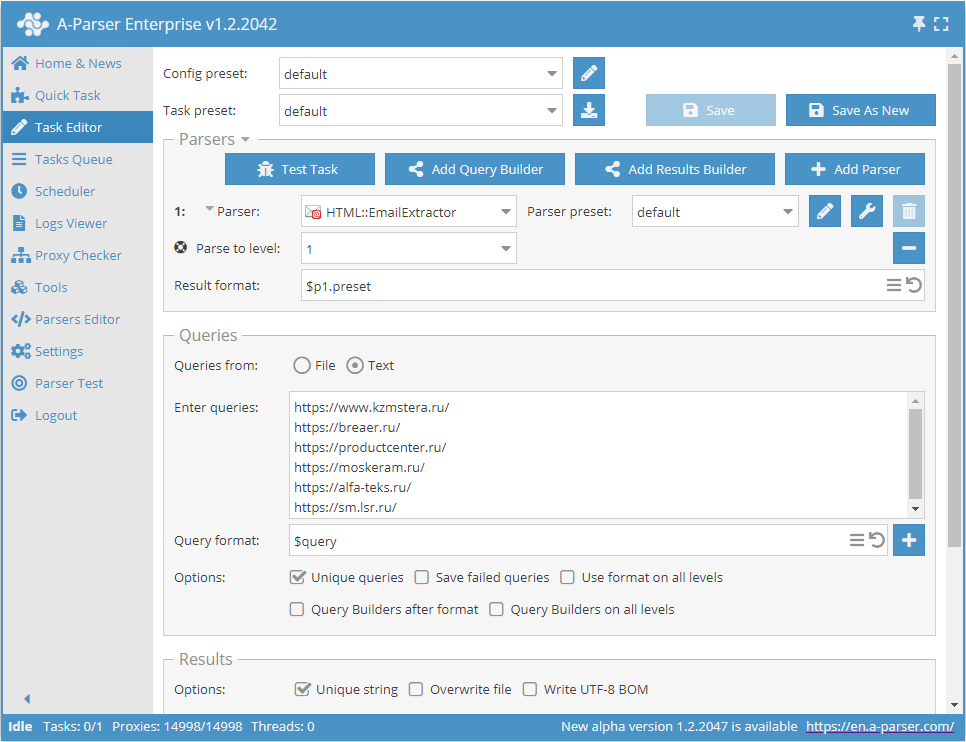
- Add the Parse to level option and select the required value (limit) from the list.
- In the Queries section, check the
Unique queriesoption. - In the Results section, check the
Unique stringoption. - Specify the links to the sites from which you want to scrape emails as queries, or in Queries from select
Fileand upload a query file with the site database.
Download example
How to import an example into A-Parser
eJxtU01z2jAQ/S8aDu0MY5pDL74RJkzTIXGakBPDQYPXREWWVEmGpB7+e98Kx4Ym
N+3u2/f2S62IMuzCg6dAMYh81QqX3iIXJVWy0VGMhZM+kOfwSvxY3i3y/KaWSt+8
Ri830XpAenAr4psjpFsXlTUBMVXCTBwL2pOGZy91A8zVcb0eC+ghM8ytryXrjtxV
1hXRB5/knpYWwUppGtxzWPeyZrlRKSNxNKsS0ZevWXxlBlmWiiuR+qTAbQyqz0b9
4VJEiF6ZLfAwvaIw97aGO1IiYefbe4UrMUq2AE2T8n+dckQefUNjEVDtHAOisg9U
UgdEVCQvMbGiG07eCmumWqfBDLBEf90oXWLs0wpJt13i55DiA8ex7/Bcak/+4FFD
z5Ks6+JuyCrtwm7RuLFoW6taRdhhZhvDu/kG547I9WO7Z1htPfUyHXOnjstyZPgA
hq1N3eC6aONiM5fOjTWV2hZowKuS3pGNWeJ8CzOztdPEfZlGa2wl0ONwIdPQrYGN
ocD/k2dJ4uLwo7U6/Hw6leq8wgV+5wJrTPJctaPcSK2fHxfnETFcFIyXGF3IJ5PD
4ZDt/taBl5r5ZiI4N9LW4qjQ2XHd/7n+Z7af/7y8PWJpv8PDCc4dMhg+jCpgI/zL
/gFm02Dr
Parsing emails from a database of links
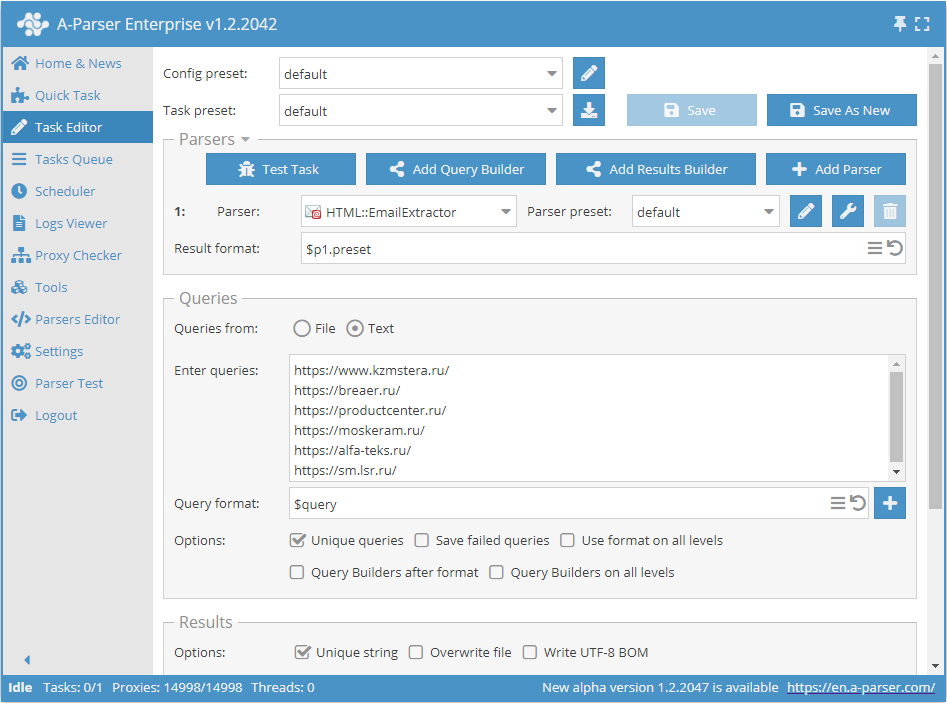
- In the Queries section, check the
Unique queriesoption. - In the Results section, check the
Unique stringoption. - Specify the links from which you want to scrape emails as queries, or in Queries from select
Fileand upload a query file with the link database.
Download example
How to import an example into A-Parser
eJxtU01z0zAQ/S+aHmAmOPTAxbc00wwwaV3a9BRyEPE6COuLXSkpePLfWTmOHZfe
tG/fvv1UI4Kkmh4QCAKJfN0I375FLkqoZNRBTISXSIDJvRafV3fLPL81Uunbl4By
Gxwy5UzebCaCBfhJC4dGJqErf511qr3zSe5h5dhZKQ0DvGDrXhpIUaUMkLxZ1Qq9
e5+Fl6Qgy1IF5azUpwypriHrs1W/Y4qngMrumM8mKqAFOsNwgFYkgX/OFa7FVWsL
lolt/LdTjMgDRpgI4moX3DGUvaOSmtijAqDkERQ+lcR4I5ydab2EPeiB1srfRKVL
nuOs4qAvXeDblOI/jWPf4WWqPeABuYZepbVuirshqnRLt+PGreO2tTIqsE1zF23a
zUcGawDfj+0+0YxD6NN0yl12PhUPtmTmsLWZH6BRG6PNjMGts5XaFdwAqhLOzGhX
fI+FnTvjNaS+bNSat0LwOFzIjLo1JGMo8HXwvE0xuuTgnKavT6dSPSq+wE+pQMOT
vMzaSW6l1s+Py0uPGC6KjZ8heMqn08PhkNV/DaWlZhin3+3Z8wMl4Bjy6Mq4DVuw
4bXLOKpZwoxRqSv5IUBNY5hMpqkVEKnUADvHN8yDPG76P9v/7Obtn5s3R76RX/Rw
oqeBJjJjvBniAxD59fEfH7B6cg==
Collected data
- Email addresses
- Total number of addresses on the page
- Array with all collected pages (used when the Use Pages option is active)
Capabilities
- Multi-page parsing (page navigation)
- Navigation through internal site pages up to a specified depth (Parse to level option) – allows traversing all site pages while collecting internal and external links
- Determination of follow links for URLs
- Page navigation limit (Follow links limit option)
- Ability to specify whether to treat subdomains as internal site pages
- Supports gzip/deflate/brotli compression
- Detection and conversion of site encodings to UTF-8
- CloudFlare protection bypass
- Engine selection (HTTP or Chrome)
- Support for all functionality of
 HTML::LinkExtractor
Use cases
- Parsing email addresses
- Outputting the count of email addresses
Queries
You should specify page links as queries, for example:
https://a-parser.com/pages/support/
Output results examples
A-Parser supports flexible result formatting thanks to the built-in Template Toolkit, which allows it to output results in any form, as well as in structured formats like CSV or JSON
Outputting the count of email addresses
Result format:
$mailcount
Result example:
4
Possible settings
| Parameter name | Default value | Description |
|---|---|---|
| Good status | All | Selection of which server response will be considered successful. If a different response is received during parsing, the request will be retried with another proxy |
| Good code RegEx | Ability to specify a regular expression to check the response code | |
| Ban Proxy Code RegEx | Ability to ban proxies for a duration (Proxy ban time) based on the server response code | |
| Method | GET | Request method |
| POST body | Content to be sent to the server when using the POST method. Supports variables $query – request URL, $query.orig – original query, and $pagenum - page number when using the Use Pages option. | |
| Cookies | Ability to specify cookies for the request. | |
| User agent | _User-agent of the current Chrome version is automatically inserted_ | User-Agent header when requesting pages |
| Additional headers | Ability to specify custom request headers with template engine support and variables from the query builder | |
| Read only headers | ☐ | Read only headers. In some cases, this saves traffic if there is no need to process content |
| Detect charset on content | ☐ | Recognize encoding based on page content |
| Emulate browser headers | ☐ | Emulate browser headers |
| Max redirects count | 0 | Maximum number of redirects the parser will follow |
| Follow common redirects | ☑ | Allows redirects between http <-> https and www.domain <-> domain within the same domain, bypassing the Max redirects count limit |
| Max cookies count | 16 | Maximum number of cookies to save |
| Engine | HTTP (Fast, JavaScript Disabled) | Allows choosing between the HTTP engine (faster, no JavaScript) or Chrome (slower, JavaScript enabled) |
| Chrome Headless | ☐ | If enabled, the browser will not be displayed |
| Chrome DevTools | ☑ | Allows using Chromium debugging tools |
| Chrome Log Proxy connections | ☑ | If enabled, information about chrome connections will be output to the log |
| Chrome Wait Until | networkidle2 | Determines when a page is considered loaded. More about values. |
| Use HTTP/2 transport | ☐ | Determines whether to use HTTP/2 instead of HTTP/1.1. For example, Google and Majestic ban immediately if HTTP/1.1 is used. |
| Don't verify TLS certs | ☐ | Disable TLS certificate validation |
| Randomize TLS Fingerprint | ☐ | This option allows bypassing site bans based on TLS fingerprint |
| Bypass CloudFlare | ☑ | Automatic CloudFlare check bypass |
| Bypass CloudFlare with Chrome(Experimental) | ☐ | CF bypass via Chrome |
| Bypass CloudFlare with Chrome Max Pages | 20 | Max number of pages when bypassing CF via Chrome |
| Subdomains are internal | ☐ | Whether to treat subdomains as internal links |
| Follow links | Internal only | Which links to follow |
| Follow links limit | 0 | Follow links limit, applied to each unique domain |
| Skip comment blocks | ☐ | Whether to skip comment blocks |
| Search Cloudflare protected e-mails | ☑ | Whether to parse Cloudflare protected emails. |
| Skip non-HTML blocks | ☑ | Do not collect email addresses in tags (script, style, comment, etc.). |
| Skip meta tags | ☐ | Do not collect email addresses in meta tags |
| Search URL encoded e-mails | ☐ | Collection of URL encoded emails |