SE::Google::TrustCheck - Website trust check
Parser overview
The parser allows checking site trust in Google. All features of the  SE::Google parser are available.
Thanks to A-Parser multi-threaded operation, request processing speeds can reach 900 requests per minute, which on average allows for up to 6200 results per minute.
SE::Google parser are available.
Thanks to A-Parser multi-threaded operation, request processing speeds can reach 900 requests per minute, which on average allows for up to 6200 results per minute.
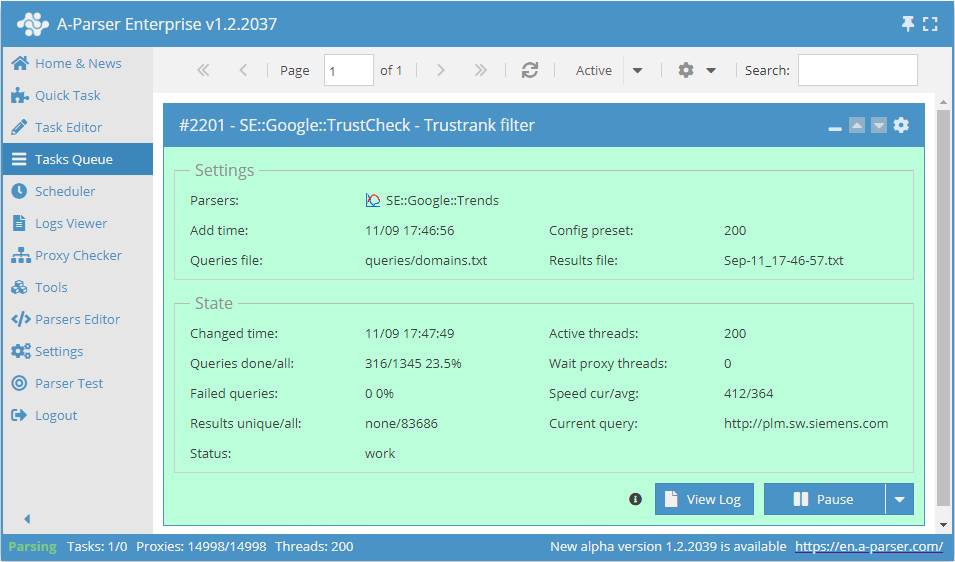
A-Parser functionality allows you to save parsing settings for future use (presets), set parsing schedules, and much more.
Saving results is possible in any form and structure you need, thanks to the built-in powerful Template Toolkit which allows applying additional logic to results and outputting data in various formats, including JSON, SQL, and CSV.
Collected data
- Checking Google's Trust in the site
- Possible results -
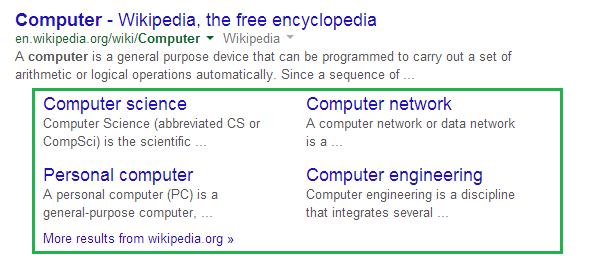
0,1and2:0- no additional link blocks1or2means that Google trusts the site because it displays additional link blocks.1- means the site has a horizontal link block, and2- means it has a large vertical link block

Capabilities
- Collecting a database of trusted sites
- Supports selection of search country, domain, results language, and other settings
Queries
You must specify the URL of the target site as a query, for example:
http://uraldekor.ru/
http://a-parser.com/
http://www.yandex.ru/
http://google.com/
http://vk.com/
http://facebook.com/
http://youtube.com/
Query substitutions
You can use built-in macros for automatic substitution of subqueries from files; for example, if we want to check sites/a site against a keyword database, we specify several main queries:
ria.ru
lenta.ru
rbc.ru
yandex.ru
In the query format, we specify a substitution macro for additional words from the file Keywords.txt; this method allows checking a site database against a keyword database and obtaining positions as a result:
$query {subs:Keywords}
This macro will create as many additional queries as there are in the file for each original search query, which in total will give [number of original queries (domains)] x [number of queries in the Keywords file] = [total number of queries] as a result of the macro's operation.
You can also specify the protocol in the query format so that only domains can be used as queries:
http://$query
This format will prepend http:// to each query.
Output results examples
A-Parser supports flexible result formatting thanks to the built-in Template Toolkit, allowing it to output results in arbitrary forms, as well as structured ones like CSV or JSON
Exporting trust check list
Result format:
$query: $trustrank\n
The result displays a list of links and their Trust check.
Result example:
http://www.yandex.ru/: 2
http://a-parser.com/: 1
http://vk.com/: 2
http://uraldekor.ru/: 0
http://google.com/: 2
...
Links + anchors + snippets with position output
Outputting links, anchors, and snippets to a CSV table
Saving related keywords
Keyword competition
Link indexing check
Saving in SQL format
Dumping results to JSON
Results processing
A-Parser allows processing results directly during parsing; in this section, we have listed the most popular use cases for the SE::Google::TrustCheck parser
Saving domains with trust value "1"
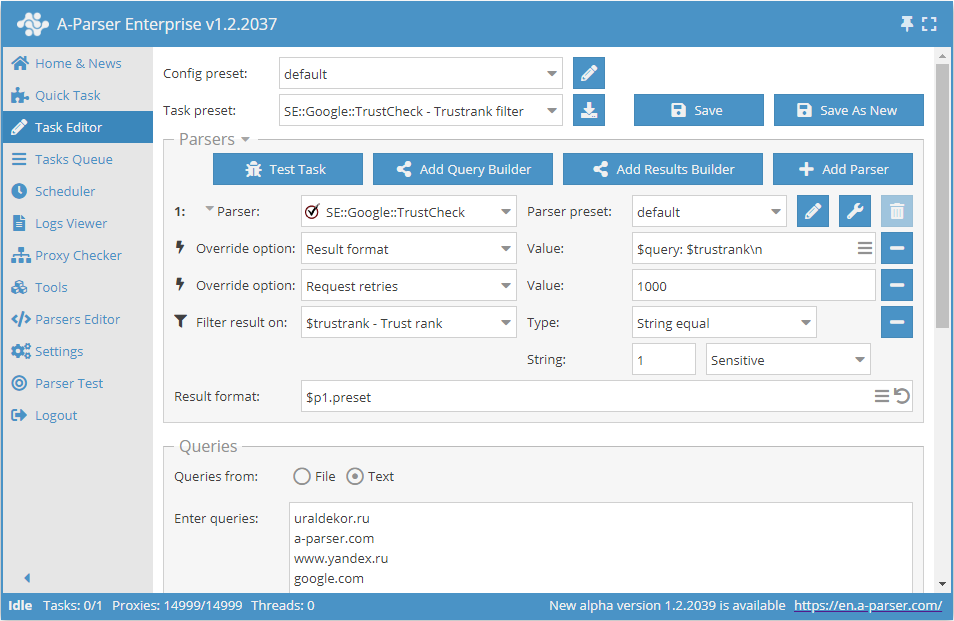
Add a filter and select the trust variable $trustrank - Trust rank from the dropdown list. Select type: String equals. Next, in String, enter the trust value we need: 1. With this filter, you can remove all results with unwanted trust.
Download example
How to import an example into A-Parser
eJx1VEtz2jAQ/iuMJod2hjhw6MU3woROOzSkCTkBB4HXRLWsNXrwGA//vSvZ2CYt
J3tf37f7raSSWW4y86LBgDUsXpSsCP8sZm9PcfwdcSshjufaGTv+gE3Wu+8FQ3OV
9VIhLWjWZwXXBrQHWNyoo6QEUu6kZf2S2VMBRIF70FokQEGRkJ2izrmlBkIa23Pp
fNrdzoE+xb07e2FeLhU738YpNB5PGqwWYDo4w8Fg0C1r2q8ZY9YQkLOKzqtU2Dku
u1D0j4UVqMgwoAw7r1YXIDMJc/jOi2FUC9oE3/ge5ljRQ+uekPXM8zBvwi34aFQJ
8uVrZI8egSeJ8JxcVgxe8Jb1XYldaE4h5XrNaPyJxtwPBgEgCHnpbsE+rC3ih4dK
X0ZILkD8rkpZnHJpoM8MdTzh1E/yOSJIIW5Rz4IU5C8ZqpGUU9iDbNMC/qMTMqFD
Mkqp6Edd+P+U2T8Y52bKLhWt/aCphwYlWI+zX21VglPckgDJmsaXIheWbDNGp/x+
BuTMAIpGumcvXY4aGpoauWanm1KA8mes3dyoaF1XY1xt59q5QZWK7aw+t5dMp+Z0
HWdqjHkhwc+lnJS0FgOv7SkZmXoN3mgb/Fw8DhR+9Mu9YxZRmp9vVauFFnQKv/kG
c1Kyy1pDbriU76/TboS1J4sMpznNlKGOtFsqfl89A9EG86U6HA7RiasEjiG4DS9C
Fdpn1TflG1gj1tYJnXXrkMI8t4Ut0qkkZc6r5oVpXqry1jsTl2da+x/zUhV4jXw6
+UhsEy7s8PwXfU7A2Q==
See also: Results filters
Link deduplication
Link deduplication by domain
Extracting domains
Removing tags from anchors and snippets
Filtering links by inclusion
Possible settings
Supports all settings of the SE::Google parser, as well as additionally:
| Parameter name | Default value | Description |
|---|---|---|
| Pages count | 1 | Number of search result pages to parse (from 1 to 10) |